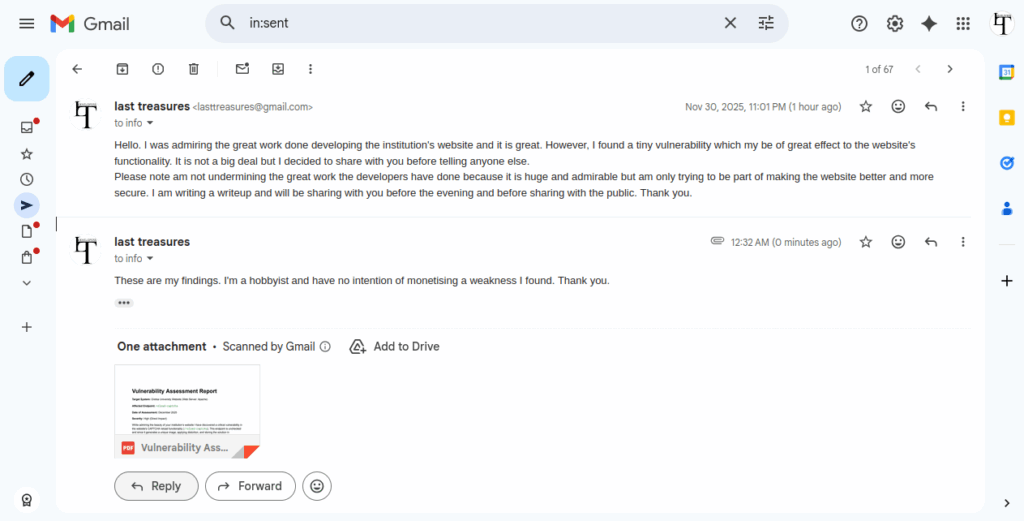









Yesternight I was just viewing websites source codes and trying to learn some few things when I stumbled on Gretsa University’s website. At first what caught me was the fact that the whole website had been coded from scratch probably by an experienced developer. This is unlike many others which rely on WordPress themes. However, something caught my attention, it wasn’t an error but an ommission, the developer must have ignored it while writing the codes or deemed it less important but upon analysing it I found that it could cause a ripple effect crippling the entire website if left unchecked.
Vulnerability Assessment Report
Target System: Gretsa University Website (Web Server: Apache)
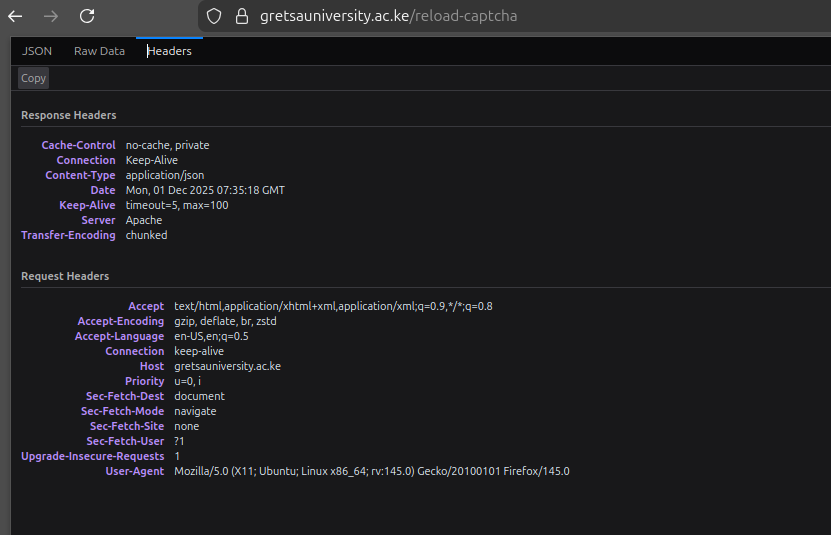
Affected Endpoint: reload-captcha
Date of Assessment: December 2025
Severity: High (Direct Impact)
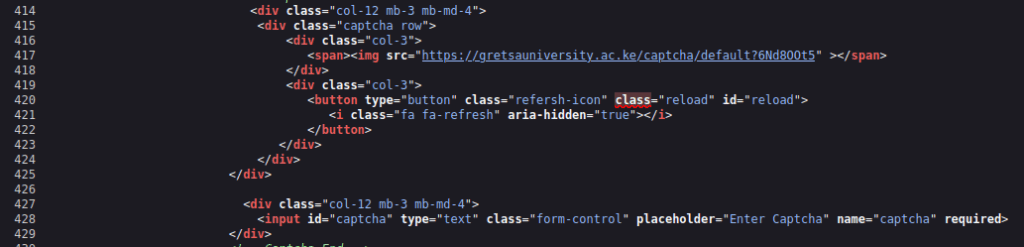
The endpoint is unchecked and since it generates a unique image, applying distortion, and storing the solution in session/memory, it is CPU intensive with every request making it an open endpoint to several attacks.
This allows launch of a highly effective denial of service by repeatedly calling the endpoint even from a single IP address without any blocking. The same endpoint is also extremely vulnerable to session fixation and client side cracking. I have tested the immediate threat which is DOS and the results were alarming. rapid requests even from a single machine aren’t blocked by any firewall and consume all available web server resources within seconds, resulting in the entire university website becoming unresponsive blocking all other user requests or distributed, it will bring the entire website crushing down.
The Process
I carried the tests using high-concurrency tool called Wrk to automate requests. I couldn’t test on session fixation or client-side cracking which are not only complex but would constitute a federal offence.
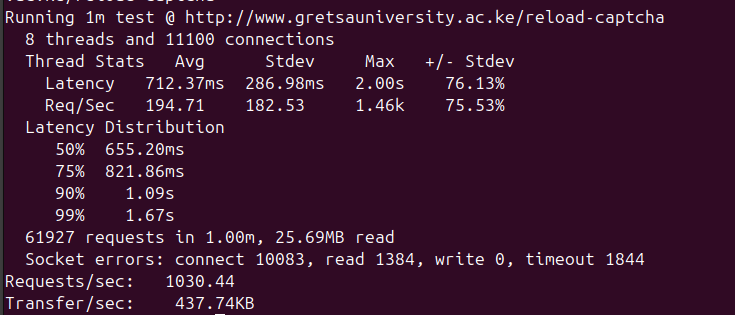
After sending a few thousands of simultaneous GET requests to the /reload-captcha endpoint while still ensuring to monitor and maintain functionality, the results showed me a 50RPS limit on the Apache server which simply meant anything above 50 requests per second could cripple the website. This means an attacker can disable the website even from a single computer without using complicated softwares or a botnet.
Every single request forces the CPU to perform the expensive CAPTCHA generation process. The server quickly runs out of resources trying to fulfill these requests, and its ability to serve critical pages (homepage, admissions, student portal) halts.
THis can be confirmed by running htop on the server machine while load testing with Wrk on a separate machine. By running and capturing the output of htop and ss -s (or netstat) during the error peak, you will have the visual evidence needed to prove the server’s resource limitations are the root cause and the severity of the potential DoS.
Mitigation
- Apply rate limiting specifically to the /reload-captcha route.
- Set a low limit requests to a safe threshold, such as 5 to 10 requests per user per minute.
- Implement Session-Based Throttling, The rate limit must track the user’s Session ID (cookie), not just the IP address. This prevents attackers from bypassing the limit by using VPNs or proxy cycling.
- Replace the current CPU-intensive, self-hosted image CAPTCHA with a modern, behavioral CAPTCHA solution e.g Google captcha v3 or hcaptcha which shift the processing burden and resource cost to the service provider, effectively eliminating the DoS vector on your server.
- Ensure the website is protected by a WAF capable of detecting and mitigating large-scale HTTP floods and distributed (DDoS) traffic patterns.
The unthrottled CAPTCHA reload function presents a direct and easy-to-exploit path to rendering the entire university website unavailable. Immediate implementation of rate limiting is necessary to protect core services and user experience.